
Download UkeySoft Music Converter – Spotify Music Downloader, MP3, FLAC, WAV, AIFF Converter
Overview
UkeySoft Music Converter is a mobile application designed to help users download and convert music from Spotify into widely supported audio formats such as MP3, FLAC, WAV, and AIFF. The app enables offline playback of favorite tracks, playlists, and albums, making it a practical tool for music enthusiasts who want to enjoy their Spotify content without an internet connection. Whether users are on a long commute, traveling, or in areas with limited connectivity, the app provides a reliable solution for maintaining uninterrupted access to their music library.
It is compatible with both Spotify Free and Premium subscriptions, which broadens its accessibility across different user segments. This feature is particularly valuable for individuals who may not have a Premium account but still wish to preserve their favorite songs for offline listening. The app addresses a common limitation of Spotify’s streaming-only model by allowing users to export content into portable formats, enhancing personal music management and portability.
While the developer did not provide additional technical details about the app’s background or company history, its functionality suggests a focus on audio conversion and user convenience. The app fits into the growing ecosystem of music utility tools, offering a targeted solution for users seeking flexibility beyond Spotify’s native playback options. Real-world use cases include preparing music for travel, creating custom playlists for events, or archiving favorite albums for long-term storage.
Key Features & Functionality
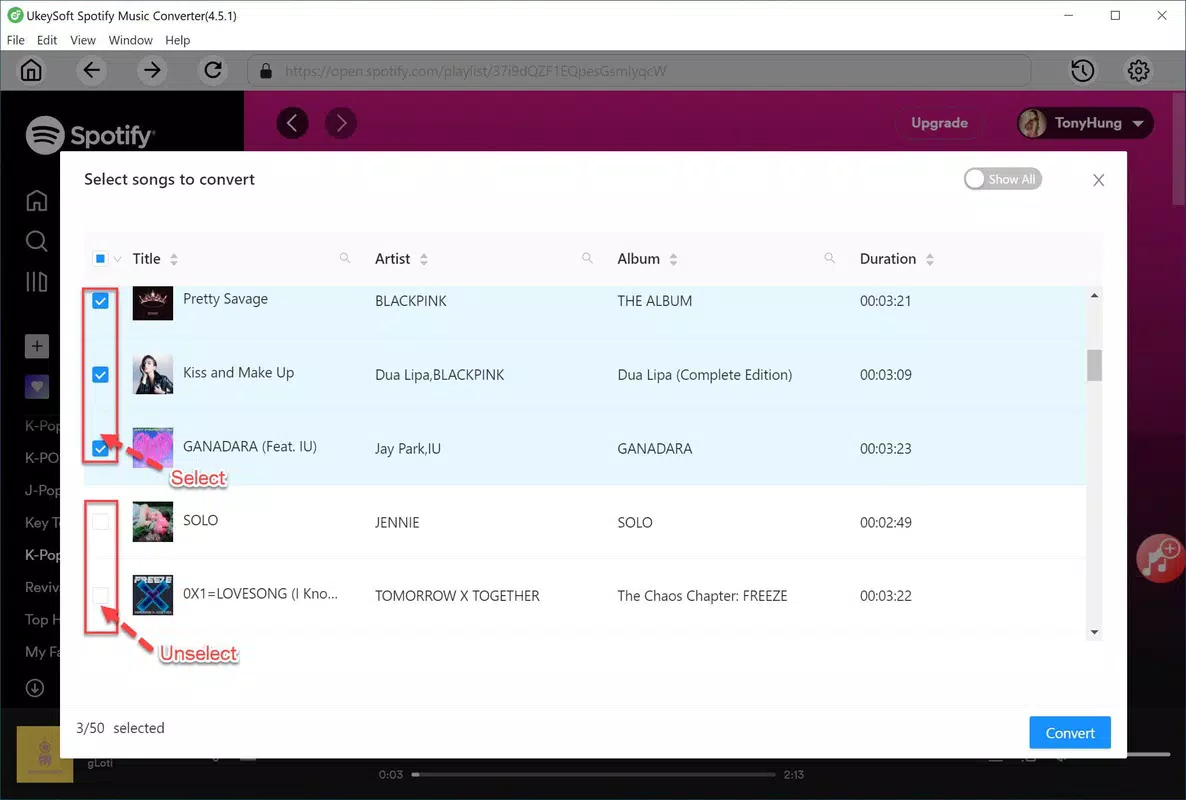
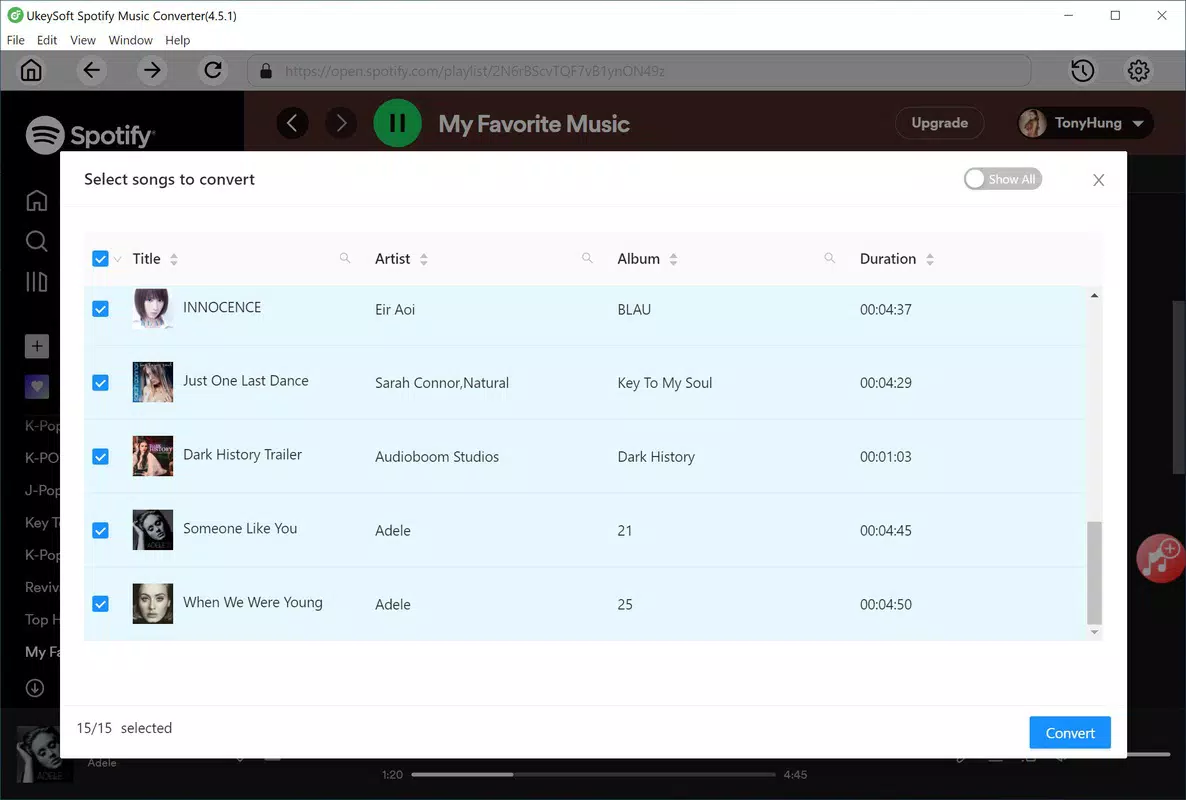
- Spotify Content Extraction: The app allows users to extract music, playlists, and albums directly from Spotify, enabling conversion into offline-compatible formats. This feature is especially useful for users who want to maintain access to their favorite content regardless of subscription status.
- Multiple Output Formats: UkeySoft Music Converter supports conversion to MP3, FLAC, WAV, and AIFF, offering flexibility based on user preferences for file size, audio quality, and device compatibility.
- High-Quality Audio Preservation: The app maintains the original audio fidelity during conversion, ensuring that the output files retain the clarity and depth of the source material, which is critical for audiophiles and discerning listeners.
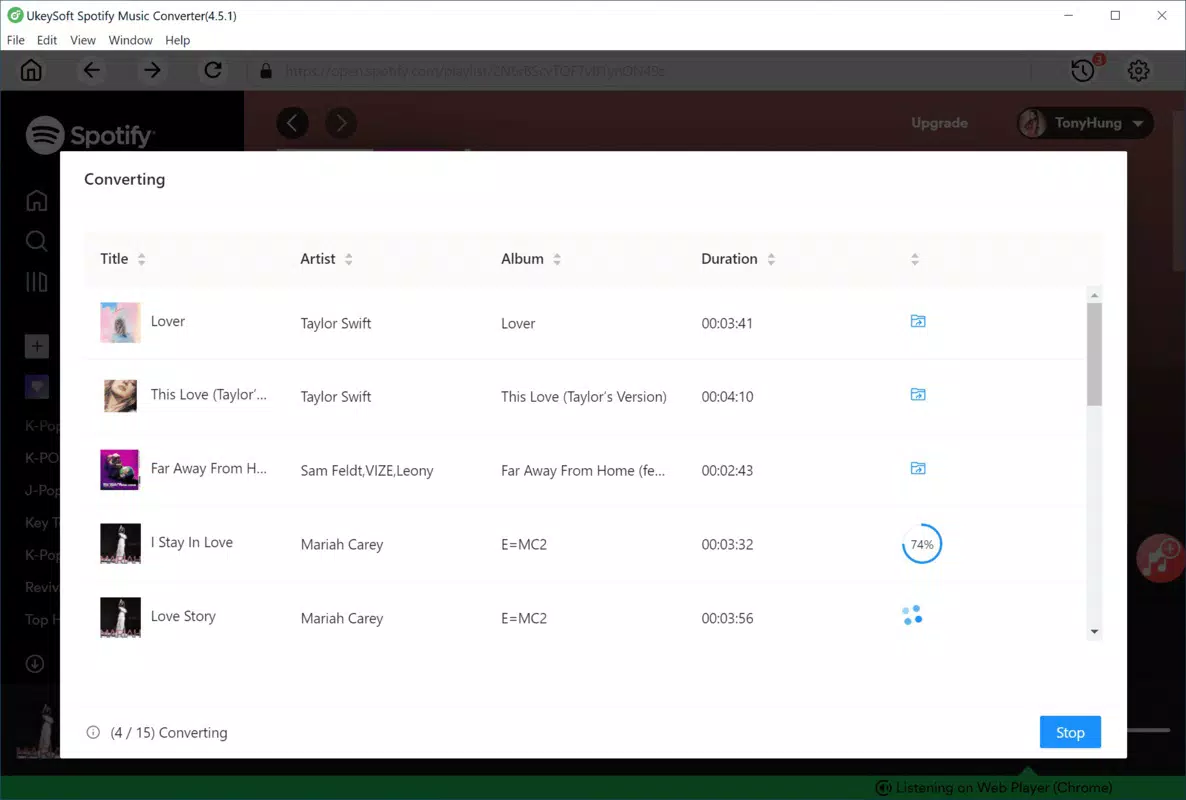
- Fast Conversion Speed: Users benefit from rapid processing times, allowing large playlists or albums to be converted efficiently without prolonged wait times.
- Universal Compatibility: Once converted, music files can be played on any device or media player that supports standard audio formats, enhancing portability and usability across platforms.
For example, a user preparing for a road trip can use the app to convert a playlist of 50 songs into FLAC format for high-fidelity playback on a portable audio system. Similarly, a student might convert an album into MP3 for easy storage on a smartphone with limited space. The app’s ability to handle both individual tracks and full albums streamlines the process of building a personal music library.
Interface, UX & Performance
The user interface of UkeySoft Music Converter is described as simple and intuitive, allowing users to navigate the app with minimal learning curve. The layout appears optimized for mobile use, with clear visual cues and straightforward workflows for selecting content, choosing output formats, and initiating conversions. This design philosophy supports accessibility for both novice and experienced users.
Navigation is reportedly smooth, with logical progression from playlist selection to conversion settings and file export. The app likely employs a tab-based or menu-driven structure to manage different functions, ensuring users can access core features without confusion. Responsiveness is expected to be consistent across devices, although specific performance metrics were not disclosed.
Although the developer did not list formal performance metrics, the app’s emphasis on fast conversion speed suggests efficient resource utilization. Stability during long-running tasks such as batch conversions is implied by the user experience, but no details were provided regarding crash rates, memory usage, or background processing behavior. The app’s performance may vary depending on device capabilities, but the design appears to prioritize usability over complex system demands.
Platform Compatibility & Technical Requirements
UkeySoft Music Converter is available for Android and iOS platforms, supporting both major mobile operating systems. The latest version of the app is 2025-03-07, indicating recent development and potential improvements in functionality or security. The app’s file size is not specified in the provided information, which may affect installation on devices with limited storage.
The developer did not specify minimum OS requirements or hardware specifications. As such, compatibility with older or newer devices cannot be confirmed. Users are advised to check their device’s system requirements before installation. No additional permissions or background services were mentioned in the description.
Pros and Cons
Pros
- Supports both Spotify Free and Premium users, expanding accessibility.
- Offers high-quality audio output in multiple formats including FLAC and WAV.
- Fast conversion speed enhances efficiency when processing large music libraries.
- Intuitive interface suitable for users of all technical skill levels.
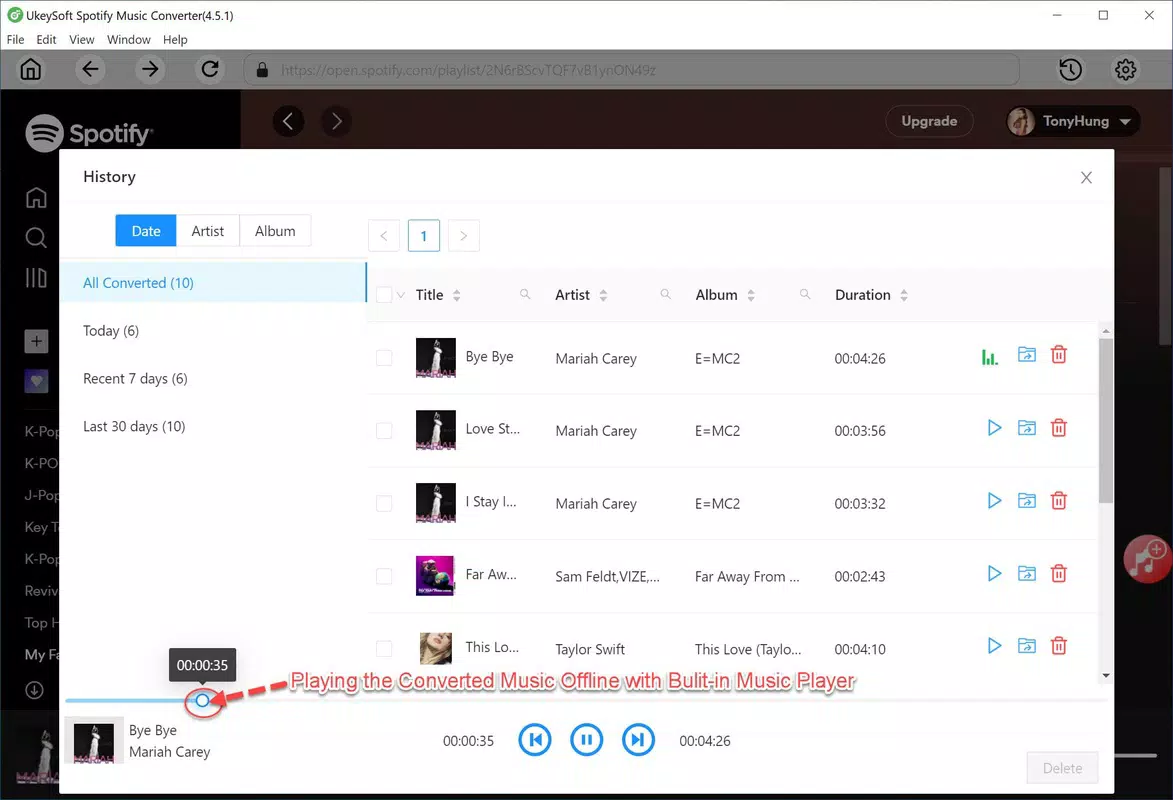
- Enables offline playback across various devices and media players.
Cons
- Specific system requirements were not listed by the developer.
- File size information is unavailable, which may impact storage planning.
- Compatibility with certain devices or OS versions is not confirmed.
- No details were provided about background processing or battery usage.
- Security and privacy policies were not disclosed in the available content.
FAQ
Is UkeySoft Music Converter safe to use?
The app’s safety depends on the source from which it is downloaded. Users should only install the app from official app stores or verified developer websites to reduce the risk of malware or unauthorized access.
Can I use this app with a free Spotify account?
Yes, UkeySoft Music Converter supports both free and premium Spotify accounts, allowing users to convert music regardless of their subscription tier.
What audio formats does the app support?
The app supports MP3, FLAC, WAV, and AIFF formats, providing flexibility for different playback devices and quality preferences.
Does the app require an internet connection after conversion?
No, once music is converted and saved locally, it can be played offline without requiring an active internet connection.
How often is the app updated?
The latest version was released on March 7, 2025. Users are encouraged to keep the app updated to ensure optimal performance and security.
Final Thoughts
UkeySoft Music Converter stands out as a practical utility for Spotify users seeking greater control over their music library. Its ability to convert content from Spotify into high-quality, portable formats makes it a valuable tool for offline listening and personal music archiving. The app’s user-friendly design and broad format support enhance its appeal across different user groups, from casual listeners to audiophiles.
While some technical details such as system requirements and file size remain undisclosed, the app’s core functionality is clear and well-executed. For users who value convenience, flexibility, and audio quality, UkeySoft Music Converter offers a compelling solution to overcome the limitations of streaming-only platforms.
Download UkeySoft Music Converter now


